
Getting started
Getting started: fill GST, Income Tax and EPFO logins from your client list
Install the extension, connect a Google Sheet or Excel file with your clients, and fill a login in two clicks — you still type the CAPTCHA and OTP.
1. Install
Add Portal Login Filler from the Chrome Web Store and pin it to the toolbar. The first 7 days are free.
2. Make your client list
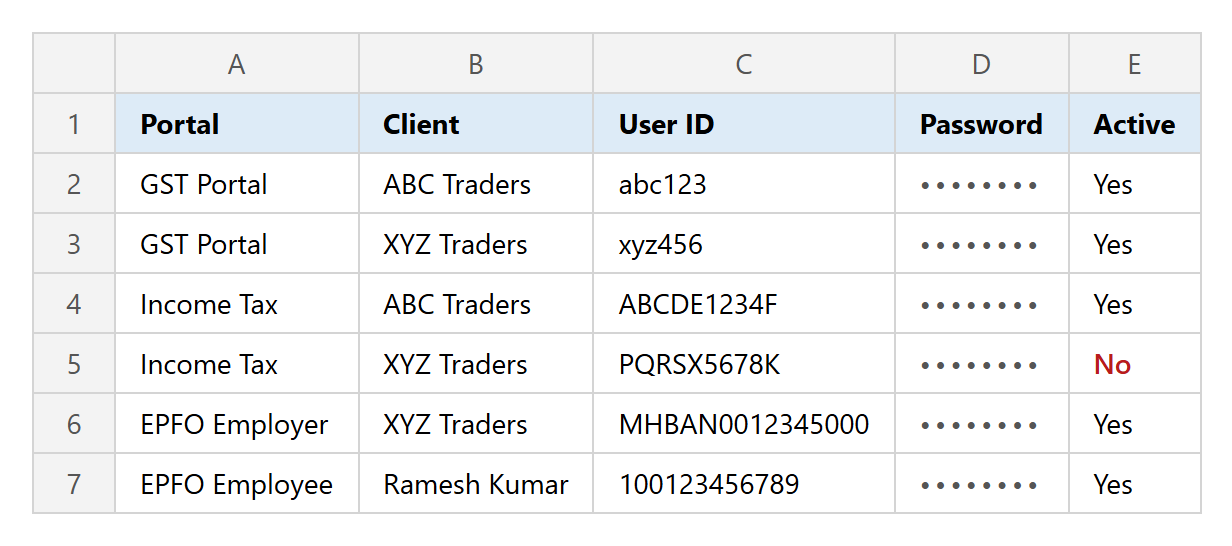
Columns: Portal, Client, User ID, Password and (optional) Active. In Settings → Client list, Create sample Sheet makes a ready Google Sheet with a Portal drop-down, or Download sample .xlsx gives the same as an Excel file. Replace the sample rows with your clients.
3. Fill a login
- 1Open the portal's login page in Chrome as usual.
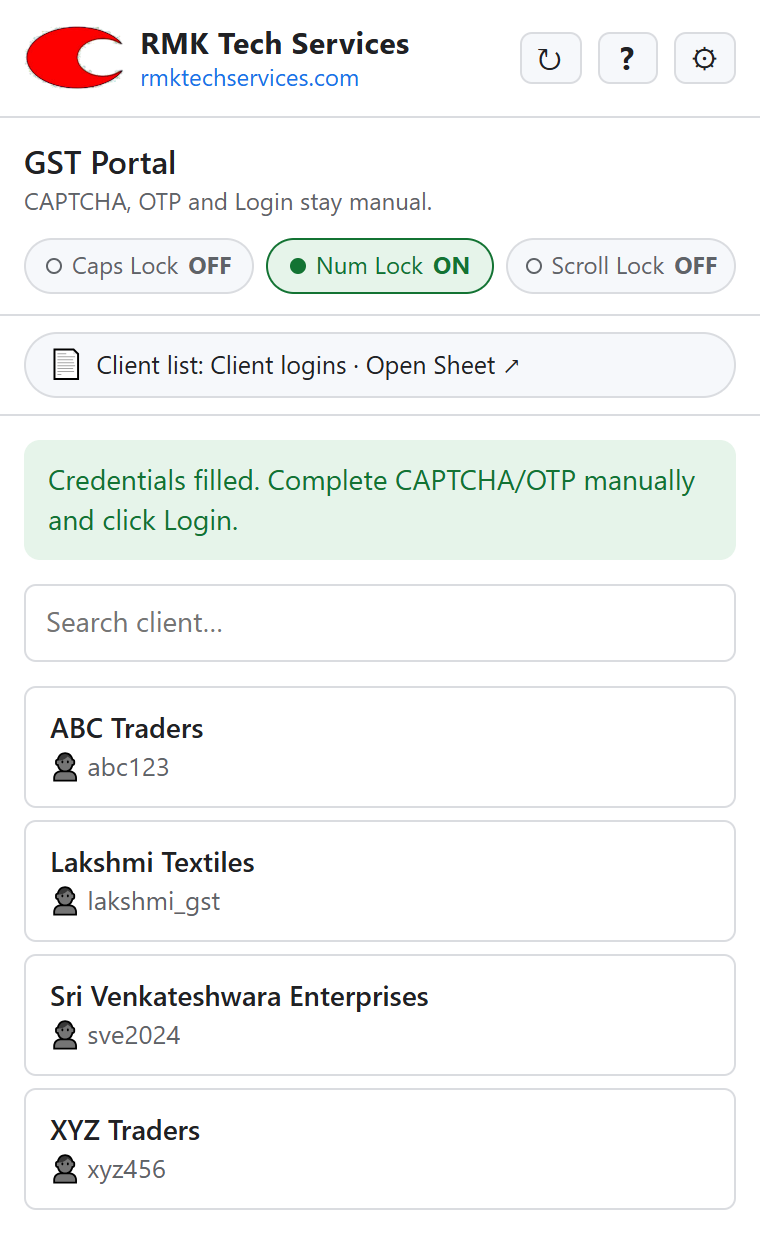
- 2Click the extension: the side panel recognises the portal and lists only its clients.
- 3Search by name or User ID and click the client: User ID and Password are filled.
- 4Type the CAPTCHA, complete any OTP and click Login yourself.
Tip: The extension never solves CAPTCHA, never touches OTP and never clicks Login. Passwords stay in your own sheet or file and are kept in memory for at most 15 minutes.
The full user guide with screenshots is at rmktechservices.com/portal-login-filler/guide.