
How to
Use your own Google Sheet or Excel file — and keep your own portal names
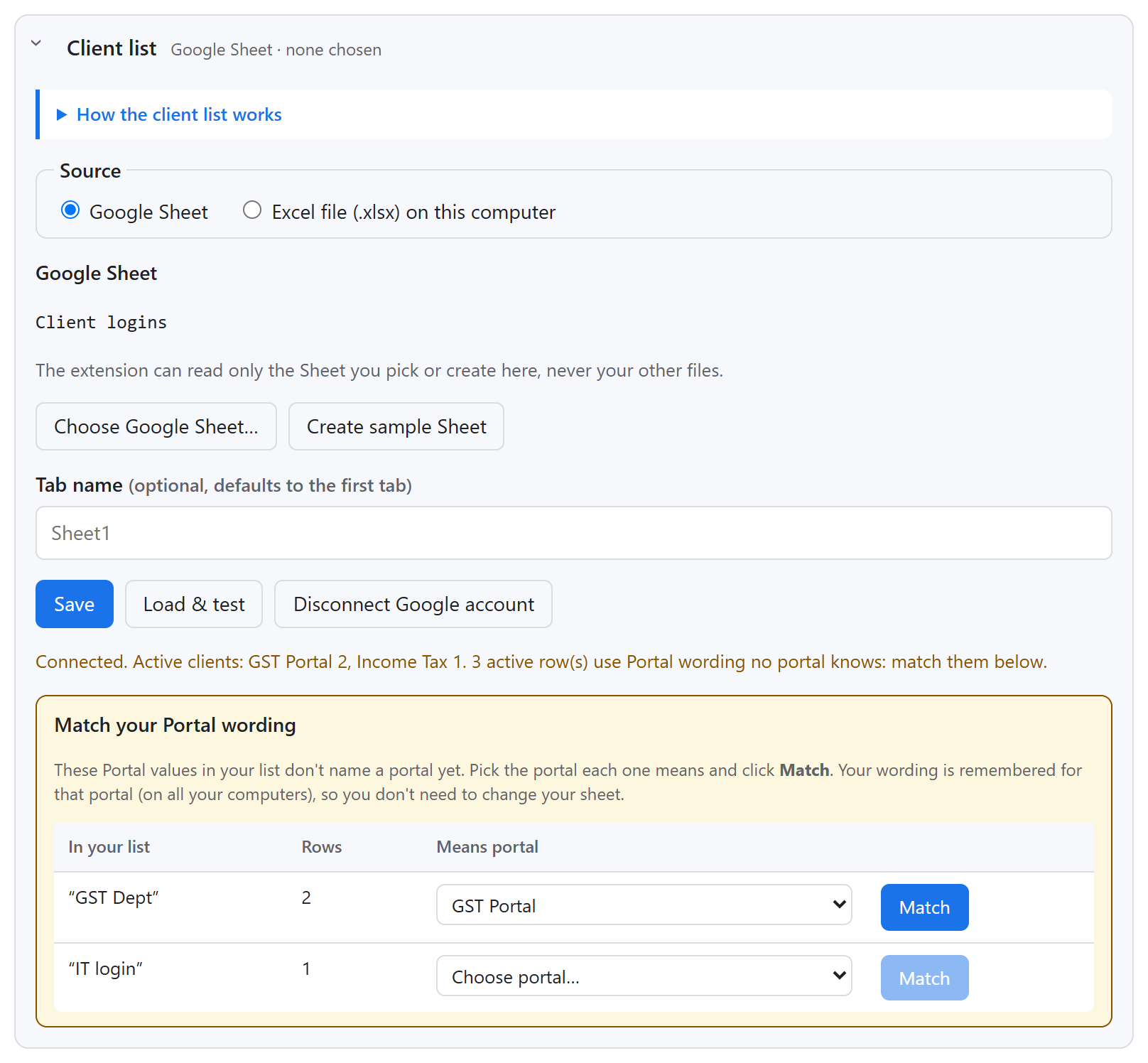
Already have a client list? Connect it as it is. Names like “GST Dept” or “IT login” are matched to portals once and remembered on every PC.
- 1Settings → Client list → Choose Google Sheet… (Google's file picker) or Choose .xlsx file….
- 2Click Load & test: it counts active clients per portal — never showing the passwords.
- 3Any Portal value it doesn't know is listed with a drop-down and a guess. Pick the right portal and click Match.
- Extra columns such as Mobile or Email are kept for a portal's extra fields.
- Excel: keep User ID and Password columns as Text if IDs start with 0 (the sample already is).
- After Chrome restarts it asks once to read the Excel file again (Load clients from file).
- The side panel shows which list is in use, with a link to open the Sheet.